




AI can now draft a logo, write a headline, remove a background or mock up a whole web page in seconds. For small businesses, it can look as if design has suddenly become free. It hasn’t — but it has changed.
AI is now built into almost every tool designers use, from Photoshop to Figma and Canva. Used well, it saves time and money. Used badly, it produces brands that look like everyone else’s.
This blog explores what AI actually does well, where it falls short, and how to use it without losing what makes your business yours.
What’s Actually Changed?
The biggest change is speed. Jobs that used to take an hour of careful editing can now take seconds, such as:
- Removing or replacing a background
- Extending a photo to fit a new shape, like a website banner or a social post
- Removing unwanted objects from a picture
- Sharpening up a small or low-quality image
- Drafting layout ideas, headlines and placeholder copy
Photoshop now has an AI Assistant that makes edits from a typed or spoken instruction, and Adobe’s Firefly can create images using more than 25 different AI models. Figma, Canva and most website builders have similar tools built in.
It isn’t only designers using them. In Figma’s 2026 AI report, the number of developers doing design work rose from 44% to 60% in a year. The line between who designs and who builds is blurring.
What AI Does Well
Speeding Up the Repetitive Jobs
A lot of design work is repetitive: resizing the same graphic for Instagram, Facebook and LinkedIn, cutting out product photos, tidying up images. AI handles this well, which leaves more time for the parts that need real thought.
Exploring Ideas Quickly
At the start of a project, AI is a quick way to try rough ideas, moodboards and “what if” options before committing to a direction.
Rescuing Imperfect Photos
Not every business has professional photography. AI can save an image that’s slightly too small, badly cropped or has something distracting in the background.
Example: A café has a great photo of its counter, but there’s a bin in the corner and it’s the wrong shape for a website banner. A few years ago that photo might have been unusable. Now it can be cleaned up and extended in minutes.
Where AI Falls Short
It Doesn’t Know Your Business
AI works from patterns in what already exists. It can make something that looks professional, but it doesn’t know your customers, your competitors or why someone should choose you over the business down the road. That thinking is what makes a brand work.
Everything Starts to Look the Same
AI tools learn from the same huge pool of existing images, so their results often feel familiar: the same glossy style, the same layouts, the same stock-photo people. If every business uses the same tools in the same way, standing out gets harder, not easier.
The Details Still Go Wrong
AI still makes mistakes that are easy to miss at a glance: garbled lettering, odd hands, and logos that fall apart when they’re shrunk to fit a browser tab or embroidered on a polo shirt. A good logo has to work in one colour, at tiny sizes and on everything from signage to social media. AI drafts rarely do.
Ownership Isn’t Clear Yet
This is the one small businesses should pay most attention to. In the US, the courts have confirmed that images made purely by AI can’t be copyrighted, and in March 2026 the Supreme Court declined to hear an appeal, leaving that position in place. In the UK, the government published a report on AI and copyright in March 2026 but made no firm decisions, so the rules are still being worked out.
For a logo, that matters. It’s the one design you most want to own and protect. If it came straight out of an AI tool, it may be harder to protect, and something very similar could be generated for someone else. I’m a designer, not a lawyer, so if you’re planning to trademark your logo, it’s worth getting proper legal advice.
AI Is a Tool, Not a Designer
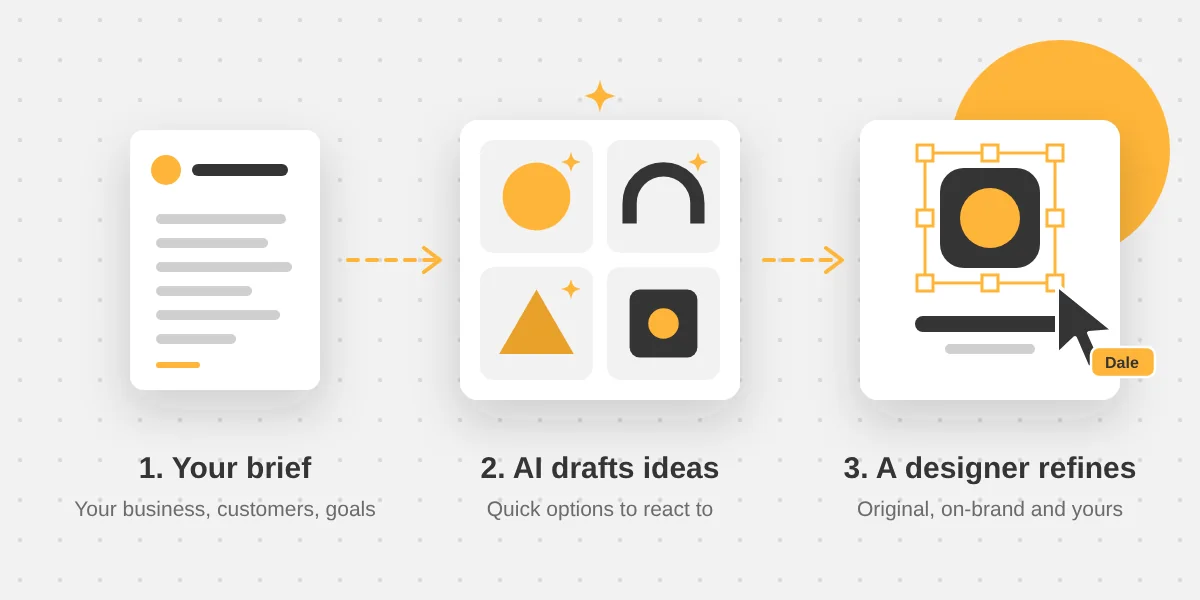
The best way to think about AI is as a very fast assistant. Used well, it:
- Takes care of repetitive resizing and retouching
- Speeds up early ideas and mock-ups
- Helps with first drafts of copy, which a person then rewrites in your tone of voice
- Frees up time and budget for strategy, ideas and the details that make a brand memorable
What it can’t replace is the thinking: understanding your audience, deciding what makes you different, and making sure every part of your brand works together. In the same Figma report, 90% of the people surveyed said design is at least as important as it was before AI.
Should Small Businesses Use AI for Design?
Yes, for the right jobs. Here’s a simple rule of thumb.
Good Jobs for AI
- Quick social media graphics made from your existing brand templates
- Tidying up or resizing photos
- Brainstorming ideas and wording
- Placeholder images while you wait for real photography
Jobs Worth Paying a Designer For
- Your logo and brand identity
- Your website, especially the pages that need to turn visitors into enquiries
- Printed materials, where mistakes are expensive to fix
- Anything that has to look consistent across web and print
Example: A new recruitment company could use AI to help draft its social posts each week, but have its logo, colours and templates designed properly first. That way, every AI-assisted post still looks like the same brand.
How a Freelance Designer Fits In
A freelance designer in Manchester can:
- Create an original logo and brand identity that’s yours
- Set up brand guidelines and templates, so anything you make yourself, with or without AI, stays on-brand
- Check AI-generated images and copy before they go public
- Use AI where it saves you time and money, and leave it out where it doesn’t
Conclusion
AI has made parts of design faster and cheaper, and that’s good news for small businesses. But it hasn’t replaced the thinking behind a strong brand: knowing your customers, standing out from competitors and making everything work together.
Use AI for speed. Use a designer for the decisions. That way you get the best of both, and a brand that’s still unmistakably yours.
Frequently Asked Questions
Will AI replace graphic designers?
AI is taking over some repetitive jobs, like resizing and retouching, but not the strategy and creative decisions behind a strong brand. Most designers now use AI as a tool to work faster.
Can I use an AI-generated logo for my business?
You can, but it may be hard to protect. In the US, images made purely by AI can’t be copyrighted, and in the UK the law is still being worked out. For a logo you want to own and trademark, an original design is safer.
Is it safe to use AI images on my website?
Usually, for things like backgrounds and placeholder images, as long as the tool’s terms allow commercial use. Check them for mistakes, avoid anything that looks like a real person or another brand, and don’t use them for your logo.
How can AI help my small business with design?
AI is great for resizing graphics, tidying up photos, brainstorming ideas and drafting social posts. Pair it with professionally designed brand templates so everything you make stays consistent.
Got a project in mind? Tell me a little about it and I’ll send you an estimate.